


Verity mod for Minecraft PE
4.63.00 Reviews
App Specs
- Version
- 1.0.7
- Updated On
- License
- Free
- Downloads
- 100,000+
- Developer
- Ignitus Probida
- Categories
- Entertainment
- Platform
- Android
Screenshots
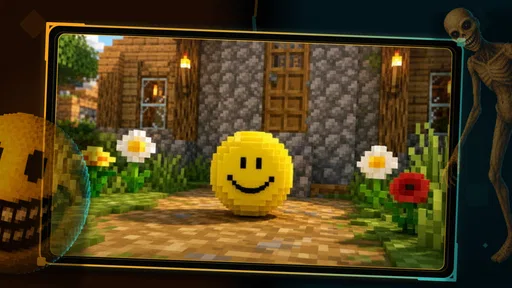
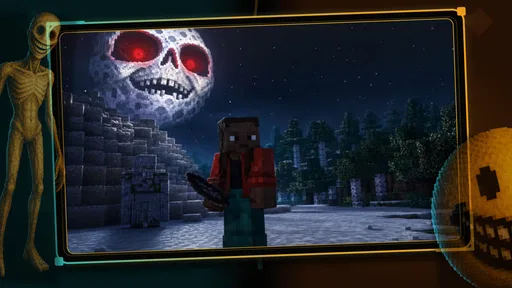
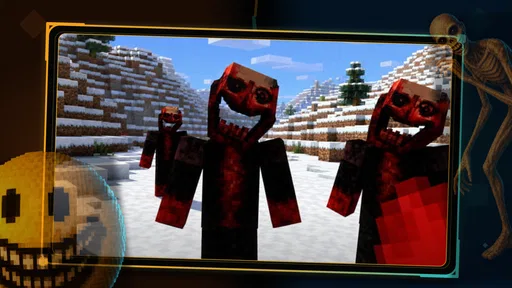
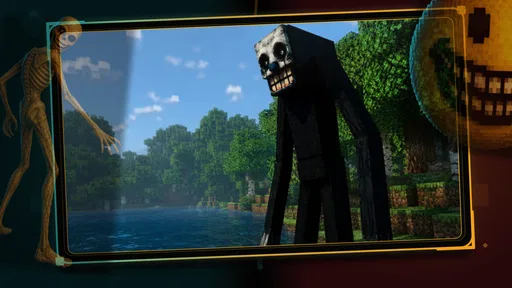
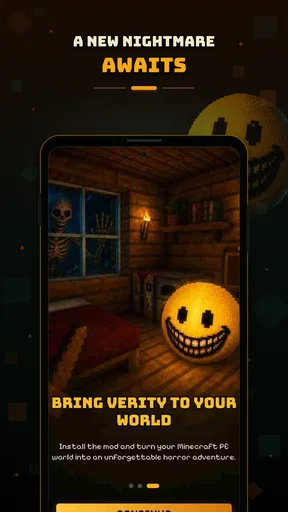
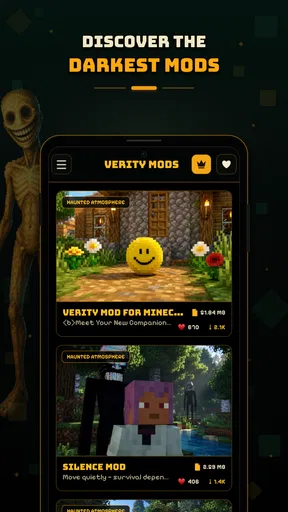
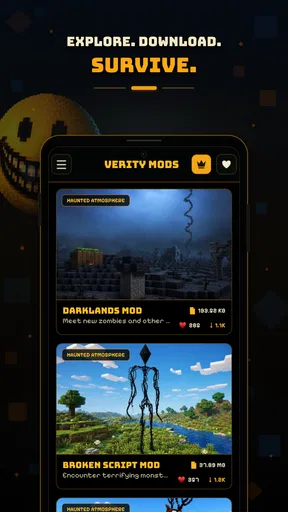
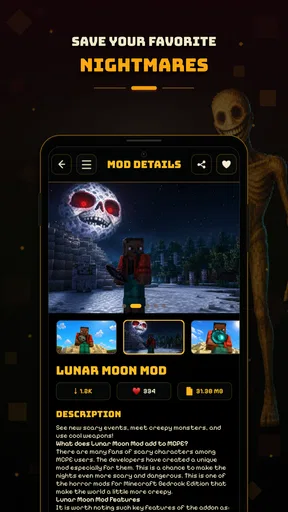
 Analysis by AppCompare
Verity is an entertainment app from Ignitus Probida aimed at people who enjoy adding a darker mood to Minecraft PE and MCPE. I approached it as a companion for finding scary mod ideas rather than as a replacement for Minecraft itself, and that distinction matters. The app’s purpose is to help players explore horror-themed additions around their existing Minecraft experience, with Verity presented as the guide or character at the center of that discovery.
My first impression is that the concept is easy to understand: if ordinary building and survival sessions have started to feel predictable, a horror-focused catalog can provide a reason to experiment again. It is especially appealing to players who like suspense, eerie environments, unexpected encounters, and sharing unusual Minecraft sessions with friends. At the same time, the app is most useful when you already know what kind of Minecraft experience you want to create. It is not a standalone horror game, and its value depends on how much you enjoy changing the way you play Minecraft PE.
What Verity actually offers and how the cost fits
The app is free to install, which makes trying it relatively straightforward. That free entry point is important because horror mods can be very personal: one player may enjoy unsettling exploration, while another may prefer peaceful building and quickly lose interest. You can investigate the app before deciding whether its approach suits you instead of committing to a purchase up front.
There are also in-app purchases priced at $43.99 per item. I would treat that as a major decision rather than a casual add-on. The free installation and the paid items are not the same thing, so I would begin by exploring the freely available experience and only consider spending after deciding that Verity genuinely improves the way I use Minecraft PE. A high-priced item deserves a clear reason in your own routine, especially when the underlying Minecraft game and any separate content you already use may involve their own costs.
The app is rated for Everyone, which makes its broad audience understandable, but that should not be confused with every individual mod feeling comfortable for every player. A horror theme can still include frightening imagery, tense situations, or an atmosphere that younger users may dislike. If a child will use it, I would preview the material together and decide whether the tone is suitable rather than relying on the age label alone.
Verity currently appears as version 1.0.7 and requires Android 8.0 or later. That gives Android users a practical compatibility check before installation. I would verify the operating system on an older phone or tablet first, particularly if the device is shared with a younger player. Compatibility is one of those small details that can turn an exciting mod session into frustration if it is ignored.
A useful way to judge the free experience
I recommend treating the first session as a test of workflow, not just a quick glance at the theme. Open the app when you have time to compare several horror ideas, note which ones fit the Minecraft version and play style you actually use, and then try one change at a time. Installing several unfamiliar additions together makes it much harder to identify what caused a problem or what made the session enjoyable.
Worth Reading Before You Choose

EA SPORTS FC Mobile 26 Is a Bigger Football Game, but It Takes Time

Flipboard Shows What News Apps Must Do Beyond the Feed

Switching to Android Auto Means Rethinking Your Driving Routine

Google Calendar Makes a Crowded Week Easier to Manage

Ludo King Makes the Most of the Minutes Between Plans

Baby Panda World Brings Quick Play to Modern Phones, but Its Game Library Feels Busy
That one-at-a-time approach is more valuable here than it may sound. Horror experiences depend heavily on pacing. If a world suddenly becomes chaotic because multiple changes overlap, you may blame the whole concept when the real issue is simply that too many modifications were introduced at once. I found that a controlled test gives a clearer answer about whether the app is helping me build a better session.
How the value feels in everyday Minecraft use
The strongest value is variety. Minecraft PE can become repetitive when every evening follows the same pattern of mining, farming, building, and routine exploration. A horror-focused source of ideas gives those familiar activities a different purpose. A walk through a cave can feel more deliberate, a night expedition can become a shared challenge, and an ordinary survival world can gain a story-like tension without requiring you to abandon the game you already know.
A realistic use case would be a small group of friends deciding what to play after dinner. Instead of opening Minecraft and drifting into separate projects, one person can use Verity to choose a scary direction, then the group can agree on a simple rule: explore together, avoid splitting up, and stop if the atmosphere becomes too much. The app works well in that situation because it acts as a conversation starter. It turns “what should we play?” into a more specific plan.
It can also help solo players who want a reason to return to an old world. I would not expect it to transform every world automatically, but it can inspire a different route through familiar terrain. For example, a player who normally builds during the day can use a horror concept to motivate a night-time expedition or a search for a suitably isolated location. The useful part is not only the mod itself; it is the change in intention it gives to an otherwise familiar session.
Another non-obvious benefit is that horror content encourages preparation. Before starting, I would make a backup of an important world, check whether the chosen addition is appropriate for that world, and decide whether the session is experimental or something I want to preserve. This is good Minecraft practice generally, but it becomes especially important when changing a world that already contains hours of building. A few minutes of preparation can protect a favorite save from an avoidable mistake.
Verity is also better suited to mood-setting than to players who want a tightly designed campaign. Its appeal comes from combining Minecraft’s open-ended nature with scary ideas. That freedom is a strength if you like creating your own rules, locations, and stories. It is a weakness if you expect a polished sequence of objectives, carefully balanced levels, or a complete narrative waiting for you immediately after launching.
Where it differs from ordinary Minecraft alternatives
The usual alternative is simply to keep playing standard Minecraft PE, perhaps with a texture change or a new world seed. That route is cleaner and usually easier to manage, especially for builders who care about stability and uninterrupted creative work. Verity makes more sense when the goal is specifically to introduce fear, suspense, or an unusual challenge rather than merely add visual variety.
Another alternative is searching manually through general mod sources or social recommendations. Manual searching can offer more choice, but it also takes more time and may leave you sorting through content that does not match the horror mood you want. Verity’s focused identity is useful because it narrows the search. The trade-off is that a narrower focus may not satisfy someone who wants a broad mix of farming, technology, decoration, role-play, and adventure additions in one place.
Compared with downloading a separate horror game, Verity offers the comfort of Minecraft’s familiar controls and sandbox. You already understand the basic world, movement, crafting, and exploration loop, so the unfamiliar part is the atmosphere or modification. A dedicated horror game may deliver stronger pacing and more deliberate scares, while Verity gives you more freedom and the ability to involve your own worlds. I would choose between them based on whether I want authored tension or personal experimentation.
Practical habits that make the app more useful
My first tip is to separate testing from regular play. Use a fresh or disposable world for the first trial instead of risking a long-running survival save. This is not glamorous advice, but it is one of the most important trade-offs with any Minecraft modification workflow. If the result is not what you expected, you can remove the experiment without losing a project you care about.
My second tip is to match the horror style to the people playing. A slow, atmospheric idea may work well for a solo evening, while a group may prefer something that creates clear moments of surprise and discussion. If younger players are involved, I would also agree on boundaries before starting. The Everyone rating makes the app broadly accessible, but personal comfort still matters more than a label when the theme is meant to be scary.
My third tip is to keep a simple note of what you installed and when. If you test several possibilities over time, remembering the exact combination can save a lot of troubleshooting. It also helps you recreate a session that worked well for friends. This is particularly useful when you are treating Verity as a source of repeatable themed evenings rather than a one-time download.
A fourth useful habit is to avoid judging the app after only one rushed attempt. Horror depends on context: playing alone with headphones is different from playing in a bright room with friends, and a carefully chosen world location can make a bigger difference than the content itself. I would give the free experience a focused trial under the conditions in which I actually plan to use it. That produces a more honest value judgment than simply counting how quickly I opened it.
Trade-offs, limitations, and who should use it
The main limitation is that Verity’s usefulness is tied to Minecraft PE and MCPE. If you do not play Minecraft on a compatible Android device, the app has little practical value. It is also not the right choice for someone who wants a self-contained entertainment app with a complete story, because the Minecraft world remains the place where the experience happens.
I would also be cautious about paying for an item before understanding how it fits my setup. The $43.99 price point makes impulse buying especially difficult to justify. Free access is enough to evaluate the general direction, but paid value should be judged separately. I would ask myself whether I expect to use the content repeatedly, whether it suits the people I normally play with, and whether it improves a type of session I already enjoy. If the answer is uncertain, I would stay with the free experience.
Players who prioritize building efficiency, peaceful survival, or dependable creative work may find horror modifications distracting. A scary atmosphere can be entertaining, but it can also interfere with a carefully planned project. Likewise, users who dislike troubleshooting, world backups, or experimenting with unfamiliar additions may be happier with standard Minecraft or a simpler, more established alternative.
On the other hand, Verity is a good match for someone who has become bored with routine Minecraft sessions and wants a focused theme rather than a random collection of additions. It is particularly suitable for friends who enjoy making their own rules, solo players looking for a fresh reason to explore, and Minecraft fans who like suspense but do not want to learn an entirely different game.
The app’s reception gives some useful context: it has a 4.5 average from around 462 ratings and has passed 100K+ installs. That suggests a meaningful audience has tried it, but I would still interpret those figures carefully. A rating can indicate that the concept works for many users without proving that every horror option will suit your device, world, or preferred intensity. I use that reception as encouragement to test the app, not as a substitute for testing it myself.
My final buying decision
I would recommend installing Verity if you already play Minecraft PE or MCPE and want a concentrated way to explore horror-themed sessions. The free entry makes experimentation reasonable, and the app’s focused identity is more useful than a broad, unfocused search when you know you want a darker atmosphere. I especially like it as a planning tool for group nights, because it can turn a familiar sandbox into a shared challenge with very little preparation.
I would skip it if you are looking for a standalone horror game, dislike modifying Minecraft worlds, or mainly want peaceful building. I would also avoid rushing into the paid items. Since each in-app purchase costs $43.99, the sensible order is to test the free experience, protect an important world with a backup, and decide whether the content has lasting value in your own play routine.
Overall, Verity is a focused entertainment app rather than an essential Minecraft utility. Its best quality is the way it gives familiar Minecraft activities a new mood and a reason to experiment. Its biggest weakness is the gap between easy free access and the potentially expensive paid items, combined with the fact that the final experience still depends on Minecraft and your willingness to manage a modified world.
For me, that leads to a clear recommendation: try the free side first, use it thoughtfully, and buy only when you can name the repeated use you expect to get from it. If that sounds like the kind of Minecraft evening you want, Verity is worth exploring. If you want polished, self-contained scares or a completely frictionless experience, a dedicated horror game or standard Minecraft will probably be the better choice.
As a final practical note, the developer is Ignitus Probida, and the app is listed for Android 8.0 and later. Those details make the initial decision simple: check the device, start without risking a favorite world, and judge the experience by how naturally it fits your actual Minecraft habits. That approach gives the free download a fair chance while keeping the expensive purchase decision firmly under your control.
Pros
- Adds new content and features to Minecraft PE gameplay.
- Can make single-player worlds feel more varied and engaging.
- Offers extra customization for players who enjoy modded gameplay.
- May provide useful tools for building
- exploration
- or survival.
- Easy to try for users already familiar with Minecraft PE mods.
Cons
- Compatibility may vary between Minecraft PE versions and devices.
- Installation can require extra steps outside the official game app.
- Some features may cause lag on older or lower-end phones.
- Mod updates may not arrive immediately after Minecraft updates.
- Unofficial mods can carry privacy or security risks from unknown sources.
FAQs for Verity mod for Minecraft PE
What is Verity Mod for Minecraft PE?
Verity Mod for Minecraft PE is a third-party modification designed to add new features, gameplay options, or visual changes to Minecraft Pocket Edition on compatible Android devices. Because it is not an official Mojang release, its exact tools and supported versions may vary. Before installing it, check the description, screenshots, update date, and required Minecraft version carefully.
Is Verity Mod for Minecraft PE safe to download and install?
Safety depends largely on where the file comes from and what permissions or extra downloads it requests. The safest approach is to use a reputable source, scan downloaded files with mobile security software, and avoid installers that request unnecessary access to contacts, messages, or accessibility settings. Always back up your Minecraft worlds before testing any unofficial modification.
Does Verity Mod work with every version of Minecraft Pocket Edition?
No, compatibility is not guaranteed across every Minecraft PE or Bedrock release. Mods and add-ons often depend on specific game files, APIs, or resource-pack behavior, so an update to Minecraft can make a previously working version fail. Confirm the supported game version in the listing and read recent user feedback before downloading or installing Verity Mod.
Can Verity Mod for Minecraft PE be used on iPhone or iPad?
Availability on iOS may be more limited than on Android because Apple restricts the installation of applications and modified packages from outside the App Store. If Verity is distributed as an add-on or behavior pack, it may require a different import process than an Android APK. Do not install profiles or certificates from unknown websites, and verify iOS compatibility first.
Could using Verity Mod affect my Minecraft worlds or online account?
Unofficial modifications can sometimes cause crashes, corrupted worlds, missing textures, or conflicts with other add-ons, especially after Minecraft updates. Make a copy of important worlds before enabling Verity and test it in a separate creative world. Avoid using modifications on multiplayer servers unless their rules explicitly allow them, since unauthorized tools may result in removal or account restrictions.


